martes, 29 de abril de 2014

Do you trust US-CERT?


 I noticed one article on Reuters that saying "U.S., UK advise avoiding Internet Explorer until bug fixed" by Jim Finkle on April 28.


This article states:

"The Department of Homeland Security's U.S. Computer Emergency Readiness Team said in an advisory released on Monday that the vulnerability in versions 6 to 11 of Internet Explorer could lead to "the complete compromise" of an affected system."

So I checked it source on the "U.S. Computer Emergency Readiness Team" and find it that is was similar to what the article was talking about: 

"Microsoft Internet Explorer Use-After-Free Vulnerability Being Actively Exploited
Original release date: April 28, 2014


US-CERT is aware of active exploitation of a use-after-free vulnerability in Microsoft Internet Explorer. This vulnerability affects IE versions 6 through 11 and could lead to the complete compromise of an affected system.


US-CERT recommends that users and administrators enable Microsoft EMET where possible and consider employing an alternative web browser until an official
update is available.


For more details, please see VU#222929
This product is provided subject to this Notification and this Privacy & Use policy."

Source: U.S. Computer Emergency Readiness Team first release at Google Cache. 

The address "was" and "is" "http://www.us-cert.gov/ncas/current-activity/2014/04/28/Microsoft-Internet-Explorer-Use-After-Free-Vulnerability-Being"


But today (April 29) I noticed that the "U.S. Computer Emergency Readiness Team" changed the page of the source making a different kind of statement with the same date (April 28) and without reference to the original one.

"Microsoft Internet Explorer Use-After-Free Vulnerability Guidance
Original release date: April 28, 2014


US-CERT is aware of active exploitation of a use-after-free vulnerability in Microsoft Internet Explorer. This vulnerability affects IE versions 6 through 11 and could allow unauthorized remote code execution.


US-CERT recommends that users and administrators review Microsoft Security Advisory 2963983 for mitigation actions and workarounds. Those who cannot follow Microsoft's recommendations, such as Windows XP users, may consider employing an alternate browser.


For more details, please see VU#222929.


This product is provided subject to this Notification and this Privacy & Use policy."

Source: Actual "U.S. Computer Emergency Readiness Team". 
  
Just check the Google Cache against the actual article
UPDATE:  OOPS... the Google cache got updated. I only have the PDF I print from that page. 
 

What is the problem with this?

The problem is something we call "trust". The U.S. Computer Emergency Readiness Team can make mistakes, but they should not change their website like nothing happened, they should state that it had been a change of mind or that more research showed up different results.

It is possible that the US-CERT was over reacting saying "complete compromise" or "where possible and consider employing an alternative web browser". But to don't hurt their reputation they should write an update to that statement or page saying something like "After checking more documentation about this bug we can update this statement by saying... bla bla bla.", instead of trying to wipe in silence their mistakes.  (if it is a mistake).
  
Can the US-CERT be trusted?


jueves, 24 de abril de 2014

Nintendo Wii U and Nintendo 3DS. Some thoughts, some whishes.

Last Update: 2014-06-10


This is the things that I will like to be able to do with a Wii U and a Nintendo 3DS. Some may be called "too much fiction", but what the hell... this is my blog.

Here I list here in disorder the problems, issues and whishlist for this products. 

Wii U is Missing:

  • How do you what Videos and Photos that are stored in the SD Card? It is not as easy as it was on the Wii.
    Alternative: Using Plex

Nintendo 3DS and Wii U Integration

  • Use the Nintendo 3DS like a Wii U controller. 
  • Video Conference between Wii U and Nintendo 3DS by using the same "Wii U Chat"
  • Merge the Wii U friend contacts with 3DS contacts. 
    • 3DS still uses "number codes" and Wii U uses the Nintendo account name.
  • Having the 3DS "Notepad" application on Wii U will be a nice thing too.  
  • Unify more of the hardware of Wii U and 3DS (like adapter and other accessories).  
  • Imagine if you can see the up screen of the Nintendo 3DS on you TV, via de Wii U.

Strange Requests

  • Turn the Wii U in some kind of Chromecast.
    • Allow to select content from Android/iOS and send it for play to the Wii U.
    • or Allow to  select the content from Nintendo 3DS and send it for play to the Wii U. 
  • Nintendo should start developing iOS and Android application to complement the Wii U and 3DS experience.
    •  The $20 "Wii U Fit Meter" can be turned into a more powerfull application that runs in smartphones and that can be upgraded with more functionality.

Nintendo needs to change a little bit  his mind.

I remember that sometime ago Nintendo told that their focus is only video game and that that's why they never released a DVD player for the Wii. (plus they save some money on patents).

But that has to change. People wants to do as much as possible with the devices. Photo and video cameras sales dropped down to be replaced by a smartphone (ok, the Pro Cameras are still there).  The Internet change a lot of things like how games are being sold and acquire (ex: steam).  Indy game developers found alternative ways to distribute their games and new players showed up.

Nintendo is still based in secrecy and a close environment for game development. This has to change, they can keep all the secrecy on their development lab, but once the product a released to the public it need to adopted fast and to have as much of developers and games as possible.

The Nintendo Hardware needs to do as much as possible to complete with the rest of the home media entertainment. 

Nice to Have 1: A unified charger for Wii U Gamepad and Nintendo 3DS. 

I also noticed that the Wii U GamePad and Nintendo 3DS had different adapters with different plus (and different amperance)
Nintendo 3DS Adapter
Wii U Gamepad Adapter

So, the Wii U Gamepad cradle can not be compatible with the 3DS. (and also do not fit.. do not try that at home).

But what if with some engineering magic  the Wii U Gamepad and Nintendo 3DS can get a little resigned to be more compatible. It will show a more cohesive strategy inside Nintendo about their different products working together. 

Sure, it is not charging.. it does not work, but it will be a"nice to have"
Or what about going farther and unifying the cradle/charger for the Wii U Pro Controller, Wii Remote Plus, Nintendo 3DS and Wii Pro Controller? That will be too sick right? But it was in part already done by " Wii U Quad Dock Revolution Charger". 


Nice to Have 2: A common plaform for RFID toys (Amiibo).

I really liked that the "Amiibo" strategy for Nintendo will be open to all Nintendo Developers, and that the development done with "Amiibo" can be easily re-used on similar things on other platforms.


Otherwise we will have a device like the "Wii Speak" that never really took off. 

Nice to Have 3: The Return of the Wii Speak and the Ubisoft Motion Tracking camera. 

Maybe all Nintendo disagreed with me, but I think there is something interesting on having a "living room camera" connected to your console. Xbox has it (Kinect) and Playstation has it (PS Eye?).

I think that it is time for a return of this idea to the Wii U.


That takes me to "Nice to Have 4: The redesign of the Wii Sensor Bar.

Nice to Have 4: The redesign of the Wii Sensor Bar.

The Wii Sensor bar is so basic... or at least looks so basic, that it can be a good idea to redesign it and add more functionality about it.

Possible something like:
  • Including the Wii Speak functions
  • Including a Ubisoft Tracking Motion feature

viernes, 4 de abril de 2014

Metodología de Inducción.


Insisto en que "Persígnate y lánzate al ruedo" no es una metodología de entrenamiento e inducción para el personal nuevo. 

Sin embargo es la más usada. A la izquierda esta el cuadro ilustrativo de como iniciar en esta metodología.

domingo, 30 de marzo de 2014

La ganancia es "Mía", la perdida es "Compartida"

Esta es una muy frase que escuche cuando se discutía un problema como conclusión a un caso de "viveza criolla". 

La ganancia es mía, la perdida es compartida.

Existe gente que solicita el préstamo a un banco para un negocio. Cuando el negocio fracasa la persona no quiere pagar al banco porque "asume" (¿o se hace el vivo?) que el banco también es responsable de su fracaso.

Otras personas en cambio solicitan a otras que hagan un trabajo gratis corriendo un riesgo y posteriormente, si el negocio se concreta, se les pagaría lo justo. ¿Que hay de malo en esto? El problema generalmente es que "pagar lo justo" no es proporcional a "correr el riesgo". Cuando un grupo "corre un riesgo" (invierte tiempo/dinero/recursos) en similares condiciones, no se espera un miembro del grupo tenga mayor ganancia que el resto arriesgando mayormente el trabajo del resto. Lo que debería ser correcto es que él que arriesgue más, gane más.

En los colegios y universidades sucede algo parecido:

"¡Me saqué diez en el examen!"   - "Me puso cero en el examen"

El éxito es siempre personal (el estudiante) , pero el fracaso es culpa de otro (el profesor).

viernes, 14 de marzo de 2014

NetLife - Llevando el mal soporte a otro nivel


Resulta que Netlife me dio un router muy limitado para mi uso. El linksys E900. Este router me dio muchos problemas desde el primer día así que decidí usar un router de mejores características conectándolo al "modem de fibra" de Netlife. Entonces devolví el Linksys E900 en las oficinas de Netlife diciendo que no lo voy a usar y me quejé de que ellos no puedan venir a retirarlo en persona.

Me llamó la persona de Netlife a decirme que no debo hacer eso. Porque ellos cuando dan soporte tienen acceso al Linksys E900 para hacer cambios a la red.  Lamentablemente no puedo aceptar que alguien de NetLife tenga acceso al router inalámbrico donde tengo conectado varios dispositivos. Estará bien para las personas sin conocimientos técnicos en su casa, pero yo se como configurar mi propia red y no puedo permitir injerencia de terceros en mi red.

Me dio la opción de tener el "Linksys E900" con el SSID apagado y que conecte mi propio router ahí, pero lo veo como un gastó de recursos y un riesgo para mi red en vista de que la persona de NetLife puede prender/apagar el SSID desde su oficina. Le dije que solo quiero el punto de red a internet y que yo me encargo de como armo mi red.

La persona de Netlife me indicó que tengo que tener el Linksys E900 quiera o no, porque ellos van a hacer un cambio/actualización en su plataforma y van a filtrar el acceso a Internet de cualquier dispositivo que no sea el Linksys E900 que ellos ofrecen.... en otras palabras van a filtrar el MAC Address que se puede conectar al "Modem de fibra" de Netlife.

Despúes de conversar por varios minutos explicando porqué no quería su router la respuesta de esta persona de Netlife fue:
  • Son las políticas de la empresa
  • Tenemos más de 50.000 mil clientes de esa manera.
Luego de seguir reclamando le indiqué
  • "Usted gana, venga a traerme el router"
Me respondió:
  • "No, venga a buscarlo usted mismo."
¿Es eso atención a cliente? ¿Realmente Netlife esta enfocado a tener clientes satisfechos o a seguir las políticas de su empresa?

Le pedi escalar mi queja, que quería que su gerente me llame y me dijo:
  • "Esta no es una queja porque no es un problema con nuestro servicio"
Posiblemente en los siguientes días Netlife me quite el Internet porque me va bloquear el MAC Address de mi router.  Ese día me tocará regresar derrotado a recoger el Linksys E900 para seguir teniendo internet.


Cada ves que estoy en la necesidad de hablar con alguien de soporte de Netlife me arrepiento de mi anterior decisión de haberlos contratado, pero si rescato que en mi sector la fibra es muy estable y no he tenido caídas del servicio en meses. Lamentablemente no puedo aceptar su política de obligarme a tener el Router Linksys E900.

martes, 11 de marzo de 2014

Who was that Jerk?

Today, I don't know why, but I rembered some of the stories that John "Maddog" Hall shared when he was in Ecuador.

John Maddog was talking on a table with a group guys about "Unix" in general. A "Guy" came late to the table to join the discussion. The person of the group that was talking to John gets up and leave the room.  At that moment the "Guy" that came late asked:

Guy: Who was that Jerk? he talked like he invented Unix or something?
Maddog: That guy was Ken Thompson.

Leasson Learned: Always ask the names of who is sited in your table before calling them a Jerk

martes, 4 de marzo de 2014

Pure Jongo A2


It brought my attention that this device has a Wifi and Bluetooth, so it is goo to play your music inside you home with wifi without the need to be on the same room of the device using bluetooth.


How it works:

  • It works also like bluetooth speaker devices. (Android and Windows 8 tested)
  • It works to play music with wifi using the "Pure Connect" android application. 
  • If you are playing music with a device paired with bluetooth and you connect other device (android tablet) with the "Pure Connect" application, and play something,  it will  stop the bluetooth device and gives priority to the Wifi device.

Setup

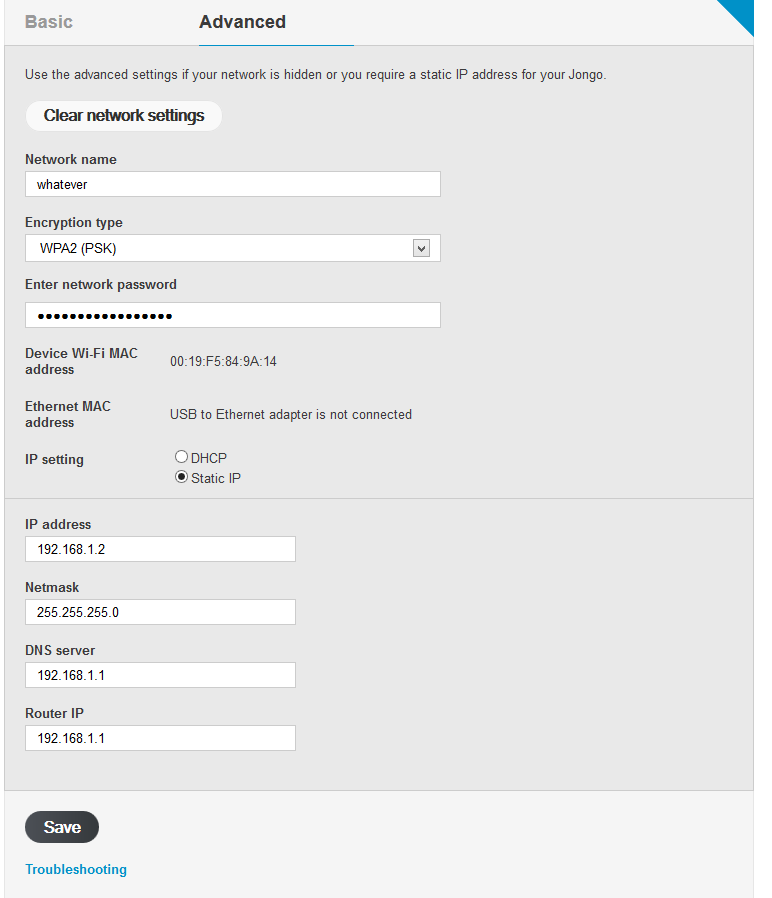
  • The Wifi button on the bottom will make the device to start his own SSID so you can connect to it to configure it with your browser.  
  • You can connect to it with the browser only to set up the Wifi network to which the device connects and change the name of the device. 

Things it can do out of the box

Play Internet Radio:

The free Pure Connect application on "Google Play" has a list of Internet radios that you can choose. 

Play Music that is located in your Phone:

If you have some music on your phone you can also use the Pure Connect app to search what do you want to play.

Other Things It can do:

Pure Jongo A2 and Plex:

You can set up an Plex server at your home PC and later using the "Pure Connect" Android App you can play the music that is on you PC (shared withe Plex).


Use Pure Jongo A2 as a Bluetooth Speaker for Windows

Windows can recognize Pure Jongo A2 as a bluetooth speaker, so if you have you PC close to the Jongo device it can work that way.


Things that I want to do but I can't:

  • Play music directly from Windows itunes using Wifi. (The only options is Bluetooth)
  • Play Windows apps like VLC or Google Music (browser) using the Wifi. (The only options is Bluetooth) 
  • Play Spotify, Tunein, Pandora, etc... from an Android device using Wifi.  (The only options is Bluetooth)

 Making it belive it is a ChromeCast

Something that will be really cool is to make android apps belive that the "Pure Jongo A2"  is a Chromecast device.

With that you can use "Google Play Music", "Plex" and "Spotify" from your phone and make them sound on the Jongo A2.

It is not possible now, but the application "AllCast" for android is very close to do that.


We need to follow the future versions of  "AllCast"

Reviews:

Links: